Tuesday, 3 March 2015

iPad: vocabulary/dictionary activities and games

Use iPads plus online dictionaries and tools to create old-time favourite class games such as
– Taboo
– Call my bluff
– Or to create board races around collocations, word chunks etc

You can prepare these yourself. However you will get better value out of the exercise by getting your students to do the hard work and then to challenge their classmates.

So, for example, get one team to use Just the word to make a list of the 10 most frequently used collocations with "make" and another with "do". They show these to each other and as a whole class you make use of the opportunity to talk together and come up with examples of how the collocations are used in context.

Each group then makes cards for each of their examples. These include the verb plus the first letter of the word(s) that collocate with it and blanks for the letters that make it up e.g. 
make n _ _ _ _   = make noise.....

Now you can use the cards the students have made for a board race. Divide the class into teams. Stick the cards on the board one by one. The team to come up with the correct collocation wins the card and the team with the most cards wins the game.

Useful online tools:
for Taboo /Call my bluff
– MacMillan online dictionary

for board races on collocations or word chunks
Just the word
Oxford collocation dictionary
Fraze.it

for brainstorming vocabulary
AnswerGarden

You can also get students to create their own vocabulary quizzes:
– They can use Kahoot to create impressive class iPad challenges. IKahoot is pretty simply to use but if you want one, here's a Kahoot tutorial to help you out.
 Edmodo also has a tool for making quizzes. Check out this detailed tutorial from Russell Stannard
– Quizlet is another possibility and here's a tutorial showing what to do.

You might also be interested in these ready-made lesson plans for developing dictionary skills and building vocabulary:
Dictionary skills for primary students
Snack facts: recording vocabulary

Finally, the real bonus of using these online vocabulary tools with students is that you introduce them to ways that they can improve their language skills by themselves outside of the classroom which is half the battle towards making them more autonomous learners.


Thursday, 19 February 2015

iPad activities using photos, videos and infographics


Find a photo…
… based on the topic in the book
In pairs, knees to knees. One student describes the photo, the other tries to draw it. They then compare original to drawing and note down "need-to-know" language.
Also works as whole class activity.

… that best describes the topic of the book
or how you feel about the topic of the book.
Students use the photo as a visual prompt to present their ideas to the rest of the class

... of a picture that tells a story
Students select one of the photos and use a range of tenses to say what's happening, happened, going to happen etc in the picture

… use Fotobabble (iPad app)
Students choose an image and record themselves talking about it then email it to themselves, to you, to their parents, paste the URL into Edmodo or on a Google doc etc

More ideas for using photos with students:
Check out Take a picture and... ELTPics blog

Find a video
… based on the topic in the book
In pairs, knees to knees. One student describes what's happening in the video.
They then both look at video and note down "need-to-know" language.
Also works as whole class activity.

Find an infographic –an example
… that is related to or best summarises the topic of the book
Students use the infographic as a visual prompt to present their ideas to the rest of the class or to start a class debate.

Create an infographic
… that is related to or summarises the topic of the book
... that explains a language point and shows how it can be used
… that tells you how to do something
… that gives the pros and cons about something


Students work in pairs or small groups using the online tool Piktochart to create their own infographics.

See also:
Adam Simpson:
9 great reasons for using infographics in class
Lesson framework for getting learners to prepare and present infographics
Carissa Peck: Infographic Project - Charity Based Research

Wednesday, 11 February 2015

A bit late but are you still looking for a lesson plan for Valentine's day?

Here´s a complete lesson plan from Chrysa Papalazarou for intermediate+, teens+ students on the theme of friendship. What I like about it is that it's designed to get students thinking critically. Chrysa achieves this by including art forms in her class content and applying the VisibleThinking approach to them.

You could use Kath Bilsborough's lesson plan at any time of year with its aim of loosening students up for writing creatively but getting them composing corny love poems. It's for teens+, A2+ students. That's also true of  Cristina Cabal's fun lesson plan which uses a speed dating technique to get students talking.

Finally, here's a short and sweet activity from Eva Büyüksimkeşyan for primary +, A1 students which gets them making heart-shaped cut outs for Valentine's day.

Wednesday, 28 January 2015

Tips and activities from here and there designed to improve students' writing skills

The first set of tips I want to mention come from Evan Simpson's blog post: Learning to write like a reader: teaching students how to edit and do peer-review, and are all about getting students to think more carefully and logically about what they write. They will be particularly useful if you are teaching higher-level, advanced+ students, although they could also be adapted for lower-level students.

I like particularly Evan's suggestion to get students to do systematic peer reviews by creating a checklist for them to work through, something I'll definitely try out with my students.


In Micro Writing: Writing to learn in ESL Cheryl Malanek takes a fresh look at the role that writing can play in the classroom.

She argues convincingly about the value of setting students short, informal writing tasks: "A few sentences, a definition, a facebook status update... Short but formulated and thought-out sentences that help students think more deeply about language or ideas presented in class."

Here's a link to the webinar with Ceri Jones that she refers to in her blog, if you'd like to delve more deeply into the topic.


Rachael Roberts' post, Motivating students to write includes a useful reminder of the basic questions we should ask ourselves when we design a writing task:
  • Is the activity intrinsically engaging?
  • Does the activity have a clear outcome?
  • Is the activity related in some way to real-life language use?
  • Does the activity encourage students to interact with each other?

And very much in line with Rachael's advice, is this useful and complete Film review lesson plan from Kath Bilsborough aimed at teenage/young adult students at A2 - B2 level.


You might like to follow up Kath's lesson plan by taking a look at the LearnEnglish Teens Film UK section which is full of great short films made by young people in the UK. The films are produced by Into Film, who have lots of great learning resources for primary and secondary students. You can find out more here:
Into Film Resources 
Behind the Scenes with Shaun the Sheep

Saturday, 26 October 2013

Friday, 25 October 2013

Monday, 22 July 2013

Wednesday, 24 April 2013

Thoughts from IATEFL Liverpool


With 20 plus talks in some slots, it's difficult to know what to go to. Methods of choosing include the random I'll-try-the-2nd-door-on-the-left method, the follow-a-friend technique and the popular in-search-of-TEFL-star approach.
I tried to be a little more coherent (although guilty of all three of the above on occasions) and went on the trails of ICT, Dogme and Task-based learning - a mix of personal interest and what seems relevant to our centre.
What follows are some thoughts and favourites as well as some links. Note that many of the talks can be watched at Liverpool Online, . 

1. Ipads & Web-based Tools
Apart from my own interest in web-based resources, I'm aware we've just bought a class set of Ipads for the teaching centre so I thought this was an important area to focus on.
i) One of the best talks I went to was by a colleague, Jon Parnham, from the Hong Kong teaching centre called Implementing Ipads In The Classroom. His talk was very relevant to us and I'll pass on more to the management and ICT teams here. During my stint on the BC stand, I got to learn a bit more about the 7 British Council apps - these will all appear on our new Ipads.
ii) Another session I really enjoyed was Nik Peachey's session called 'Evaluating Web-based Tools'.  Have a look at this simple site called TodaysMeet, which he had running throughout his talk, inviting participants to comment and ask questions. I used it with my Senior Advanced A class on Friday. In my task the students searched for interesting articles on their mobile phones and posted the links on TodaysMeet - homework is to choose an article and talk about it in the next class.

2. Getting rid of coursebooks?
A number of talks I went to were anti-Dogme, with coursebook writers justifying the way they make a living. I went to one talked entitled Dogme: A Coursebook Writer's response - a summary of which might be 'Dogme has some very valid points and useful ideas but you still need my coursebook'. Another session on this theme is The Decline & Fall of The Coursebook.
In the exhilaration of the conference, I started thinking it would be great to abandon our coursebooks. A more sober reflection is that, whilst that might not be possible or really desirable, we should be questioning the role of the coursebook as the de facto syllabus in our centre. Its place as chief source of material is one thing but shouldn't we be using our own syllubus-based learning outcomes as a starting-point for lesson planning?

3. My favourite talk
The most impressive talk for me was by Jane Willis, who is semi-retired, but one of the early advocates of the task-based approach. Task-based coursebooks never really took off (Cutting Edge was a watered down version) and as a result many of us are not very familiar with this approach. A pity because it's an approach that could revolutionise much of our teaching. I recommend having a look at the slides from her talk From Grammar Point To Task-Based Lesson. 

4. Poetry and Linguistic Imperialism
The conference treat was the closing plenary with Roger McGough, one of the 'Liverpool Poets' reading some of his work. Also worth watching was the excellent discussion organised by the British Council on Linguistic Imperialism. The 4-person panel was great but it was the contribution from the floor which really made it, including a question about why the British Council doesn't seem to promote the Welsh language!

If you ever get the chance to go to one of these big conferences, I strongly recommend it. I got to go this year on the strength that accommodation was provided free by family 'over the water'. I'll need a talk next year.


Sunday, 10 February 2013

CiSELT

This year we are running CiSELT in the centre for our teachers. We are running to course partly online and partly face-to-face. After some initial teething problems, everything seems to be going well, and the first assignments are to be uploaded by the end of next week.

Monday, 4 February 2013

Can you make your class disabled friendly?

There's not a lot of good class material out there that raises the issue of equality in the face of disabilities. However, here's one I can recommend: a lesson plan by Bren Brennan entitled Success or failure???


It's suitable for teenage+/ upper-intermediate+ and comes complete with student handout plus teacher's notes. As you might expect, the lesson get students to consider what makes somebody's life a success or a failure and focusses on a video of Nick Vujicic who talks about how he's faced life's challenges without arms and legs. Quite rousing stuff!

Also, take a look at the Disabled Access Friendly website which has lesson plans listed by CEF level and age group.

Thursday, 31 January 2013

Class activities for raising students' awareness of the importance of online safety

Dave Mainwood on his EFL Smart blog has created a series of good lesson plans that you can use for this.


I've had quite some success using Exposed (CEOP Video - Staying Safe Online) with various age groups of students (teenagers+) from intermediate upwards.
This lesson plan gets students to:

  • watch a film about internet safety
  • do some gap-fill and matching exercises
  • practise present simple
  • discuss ways to stay safe online
It centres on a well-made, engaging video where a teenage student gets hounded by her classmates because her boyfriend lets compromising photos of her get published on a social media site. I've found that students react positively to the video and the pre and post-viewing activities work well.

Sexting: is technology endangering teenagers?
This lesson plan gets students to:
  • listen to a radio debate on teenagers and technology
  • discuss the dangers and benefits of new technologies
  • do a sentence matching exercise
  • prepare and write an IELTS style question on the subject
It centres on a radio debate on sexting - using a smartphone to send indecent images to to others. This leads to a discussion about whether teenagers should be prevented from using these technologies or whether they should be trusted to develop their self-awareness of these types of gadgets. There are accompanying online activities that focus on language and comprehension plus the optional follow up writing task.

Should parents follow their children on facebook?
This lesson plan gets students to:
  • discuss social networks
  • listen to teenagers discussing social networks
  • listen to some teenagers and parents talking about their online relationships and to order their comments
  • look at some language used for writing - connectives
  • write a discursive essay on the topic


Wednesday, 24 October 2012

jigsaw thingy

grab and move the pieces
to restart: go to the cog select scatter and off you go
use chrome in classrooms.


join jigsawplanet.com

upload an image
choose number of pieces
easy or difficult
remember link
exploit in class
and bob's not your dad


and here´s one for richard ...

Tuesday, 23 October 2012

Halloween for teenage and adult learners:


– A Hallowe'en listening activity: finding out about the traditional festival of Hallowe'en.
http://bit.ly/PgTH9s
– Getting your teenage students into the Halloween mood: have them read and discuss this article on apps: “BE WARNED: Insanely addictive!”
http://bit.ly/WD034J And to try out and report back to class on the Doodle Jump app described in the article
https://itunes.apple.com/us/app/doodle-jump/id307727765?mt=8

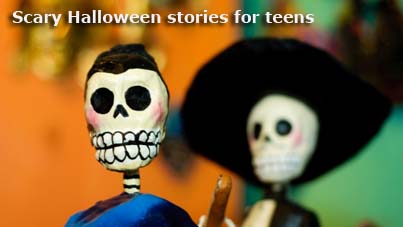
– Scary Halloween stories for teens: – Day of the Dead
http://bit.ly/RnwnTM – The text http://bit.ly/VtKqNE


– From our pacey, entertaining World on the Street video series:
Ashlie and Stephen decide which Halloween costumes to choose
http://bit.ly/S9EEN6
And Rob, our language expert, looks at the different ways we use the verb “think”.
http://bit.ly/R9zdxQ With supporting online activities

Ashlie and Stephen's house is full of witches, wizards, and ghosts... and everyone's having a frighteningly good time!
http://bit.ly/R9zCjA
And Rob looks at how we use personal pronouns
http://bit.ly/PHS5Fw With supporting online activities


Halloween for young learners


Preparing for Halloween:
– How to organise a Halloween party
http://bit.ly/TalQOB

– Make a skeleton
http://bit.ly/RnvLgU

– Free, downloadable Halloween flashcards
http://bit.ly/Pj9LHC

– With this Pron Pal download your students can listen to the Halloween words and phrases and record their own voice
http://bit.ly/RQrQsi


Class activities:
– The history of Halloween quiz worksheet
http://bit.ly/Rf4xth

– Students watch a video and learn how to make a spider mobile for their bedroom - or for their friend.
http://bit.ly/XJ2KzP
– Students read about and draw a haunted house.
http://bit.ly/Vj53Gz

– Match the Halloween words to the picture
http://bit.ly/Tam9sF

– Label the skeleton's body
http://bit.ly/RnvzOP
– The scary skeleton song
http://bit.ly/TrI68p

– Which Halloween costume do your students think is the scariest?
http://bit.ly/TC3H8g

– A witch is making a magic spell. She's putting some strange things in her pot! Can your students colour the five scary animals in this picture?
http://bit.ly/VfpJ2m

– Your turn: a chance for your young learners to share their ideas on Halloween with other students from all over the world
http://bit.ly/ORvViN


Wednesday, 25 July 2012

Olympic activities


Martin Sketchley has put together a great series of activities (Pre-Intermediate+)
to coincide with the Olympic games. They include:

  • a reading dictation
  • a reading really
  • a who wants to be a Millionaire type Olympics game
There's also a special Olympics set of words to go with the vocabulary game Pic-your-wits that you can play with your students in class or get them to do for homework

Friday, 6 July 2012

Using the vocabulary game Pic-your-wits in class


Use Pic-your-wits to introduce a topic you are working on in class or as support material for it. It will also work well as a standalone activity that energises your class and changes its dynamics. In addition, it can be used by students as a self-study resource or for homework.


Access the game on Facebook or the LearnEnglish Teens site


For lots of ideas how to use it in and out of class go to the TeachingEnglish website

Online activities from Jon Flyn – Charles Dickens’ London – lesson plan based on the game


Level: Upper Intermediate/ Advanced
Location: Computer Classroom
Skills Focus: Reading
Language Activity: Note-taking
Language focus: Used to/ would/ could have
Game: Charles Dickens’ London


To celebrate the bi-centennial anniversary of the birth of Charles Dickens, Digital Play has found a game for you packed full of lovely written text for your learners to practice reading and learn a little bit about what living around the year 1812 would have been like. I’ve got learners to play this game as a straight reader. That is, they read it for their own pleasure but they may use an online dictionary if they really want to. However, this game also works well with note-taking while playing and then later generating sentences that focus on used to and would. Of course, a presentation and a little practice on this language is best before the game particularly if you ask learners to predict what life was like 200 years ago (when Dickens lived). You also have to be sure you’ve covered the main differences between used to and would. Could have sentences come mainly from the game which tells you what you could have done by a certain stage but didn’t.
Preparation
Print of a copy of the Charles Dickens’ London worksheet. Present and practice the target language.
Pre-play
Hangman Charles Dickens on the board and elicit and information about him. (Do your students know who he is?).
Tell them he lived in London 200 years ago and elicit a few used to and would sentences from students about him. Hand out the worksheet and in pairs learners make a few predictions.
Play
Learners take the worksheet to the computer room and sit in pairs (player and note-taker)
Learners find the game. (Google – Charles Dickens London game).
Stress they need to play the game and take notes. The first person to finish note taking can play and do no writing. If you see a pair playing and not note-taking click on the refresh button at the top – they restart the game. One learner plays the game while the other takes notes. Change every 5 minutes or so. Monitor and elicit sentences verbally from learners who use their notes.
Post Play
Learners compare notes and expand on their own if necessary.
Learners make sentences using their notes and target language.
Learners write a composition about Life in Charles Dickens London.

If you like this lesson plan, check out the Digital Play blog for lots more!

Online activities from Jon Flynn – The Grammar of Doom – an adventure game.

The Grammar of Doom


Okay, here's the story. You are an adventurer trying to find the secret to the mystical Temple of Doomed Grammar. There are ten rooms in the temple, and each one is full of tricks and traps. You need to use your English grammar and vocabulary to get through the rooms. Each room that you complete gives you one word of the password sentence that you need to finish the game. (Remember the password because you will need it for the next room!) You are told exactly what to do before you enter each room. (Okay, I admit this is a reading comprehension - but don't blame me if you keep dying because you have not read it.)

Wednesday, 27 June 2012

Online resources to support student tasks, projects and self-study

There are lots of online resources you can use to support task or project-based work and to encourage student self-study – and you can find out about many of them by thumbing through this blog. So in this post I'm just going to talk about some websites you can use for digital storytelling.

My favourite are:
ZimmerTwins
StoryJumper 
StoryBird

ZimmerTwins


This is a website where you can make attractive, short animated films. It's easy to use and intuitive, students pick it up in minutes and works well for age groups from about 7 – 12.
As with all these types of resources, you need to create an account first (which is free with no strings attached). You can either get your students to login with your account details or create a class login.

Ways to use ZimmerTwins in class
It's great for focussing on vocabulary related to actions, settings and emotions.
I usually make a demo movie to show to my class. In it I introduce the 3 characters that appear in every movie: a boy called Edgar, a girl called Eva and a cat called 13.
I show:
  • the different things they can do: fly, hide, laugh, sing, dance etc 
  • the different places they can visit: a desert, a jungle, outer space, a Chinese restaurant etc
  • the different emotions they experience: angry, sad, scared, surprised etc
Sometimes, I've got students to write out their story beforehand in class or for homework and talk about it in a whole class situation before going to the computer room. You can also set the movie making part for homework. After students have made their movies, have a film premier session where they see what their classmates have done and vote for the movie they like best.
As with all these resources, I ask one of the students to help demonstrate how to use them on the IWB for the rest of the class. This enables you to check for any difficulties they may have in using them (that haven't occurred to you) and also is a good way of introducing important lexis: click there, scroll down a bit, not that one, this one etc. Moreover, you'll probably find that students pay much more attention to a classmate than to you!

Another tip: tell your students that they can work at the computers for the first 10 minutes or so in their first language. However, one of them has to note down the phrases that they say most. Then, stop work and ask them to write their phrases – or a translation of them in English – on the board. This gives them a language bank to work with when their back at the computers and is also a practical way to call their attention to the fact that you want them to work in English. You can back this up by having a barometer diagram displayed on the IWB with students' names at the side. As you go round the class monitoring your students, you can increase or decrease the barometer according to whether they are working in English or not and make it clear to them that this will form part of their speaking evaluation.

StoryJumper


You can use this for creating online picture book stories – here's an example from my Silver 3 class. The site is very teacher friendly and you can create a simple fun login for your whole class. I advise you to play with StoryJumper a bit before launching it on a class but it's quite simple to use and comes with a good tutorial. It will appeal to is the same age-group as for ZimmerTwins, about 7 – 12.

Ways to use StoryJumper in class

I've used this for practising writing descriptions but you can really adapt it for any topic or language focus you want. Again you can start in class and let students finish their stories for homework.

StoryBird

This is similar to StoryJumper but suitable for older students – basically of any age. It has a very helpful tour which will give you and your students an overview of what to do and how the site works. Like StoryBird, you can easily login a whole class and it offers a dashboard where you can check students' progress and give them stickers or even marks on their work. It also encourages collaborative work and students can invite each other to work on a story, so it's ideally suited for work outside the classroom.

Speaking homework


Procedure:

Speaking homework:

· Set up the task in class, eg. Topic from what they have been doing in class, set of new vocab (minimum 5 words), Speak for between 1 and two mins, depends on level) Maybe preteach some pron from the vocab or other predictable words. Only these words can be used, they have to build around them improvising, no sentence writing. They can practise in class peer work, teacher supervising.

· Go home, go into vocaroo.com with a set of headphones, if necessary, depends on PC, and do it and send to teacher

· Teacher listens, while writing feedback, as below and send back to student.


Comments:
This creates more personal and individualized assessment a one-to-one with the teacher.


It gives a more accurate assessment than in class time and it may take up less of the learner’s time than doing an essay, reading or grammar, but may offer more of a feeling of accomplishment in productivity and a change from the usual homework.


The correcting may be less than having to correct written work, but the teacher need to be a computer with headphones.


Example oral below

Oral presentation


Teacher feedback:

Loic,

That was fine.


You used the new vocabulary successfully, in the right context; setting up my own business", "financial backing" etc.

Vocabulary

You said something that sounded like a Spanish expression:

"getting your idea into reality", which would really be "making your dream come true".

Pronunciation

Be careful with pronunciation;

"custom" the "u" is the same sound as in the words; "country", "love", "up"  and culture"

"business" is "bizniz"

Financial backing is the the same as the "a" in cat

Discourse

You made good used of discourse; "once I've finished ..."

You used "so" and "and" and there were hardly any pauses, just the necessary ones for the "chunks" of information.

Good work! B

_____________
from Any Barker – thanks, Andy!